Hands-On Review · Google TV
Google stopped selling this little dongle back in early 2025, which makes reviewing it in mid-2026 sound a bit daft. Stay with me.
Millions of homes still run one. Leftover stock keeps turning up at prices that feel like a pricing error. And after 08 months] of near-daily use, mine still does things I miss on streamers costing twice as much.
There’s one genuine annoyance too, and I’m not going to bury it. But let’s start with the short version, for anyone in a hurry.
Quick Verdict: Buy It or Skip It?
Buy it if you can find one for around £30–£35or less. The picture is proper 4K with Dolby Vision and HDR10+. The home screen stays calm instead of shouting adverts at you, and casting from a phone is baked in. For that money, a UK or EU household with a 4K TV is getting an awful lot.
Skip it if you hoard apps or refuse to stream over Wi-Fi. Storage is a stingy 8GB, and wired internet means buying an adapter. And if only Google’s newest kit will do, that’s the Google TV Streamer — I put the two head to head further down.
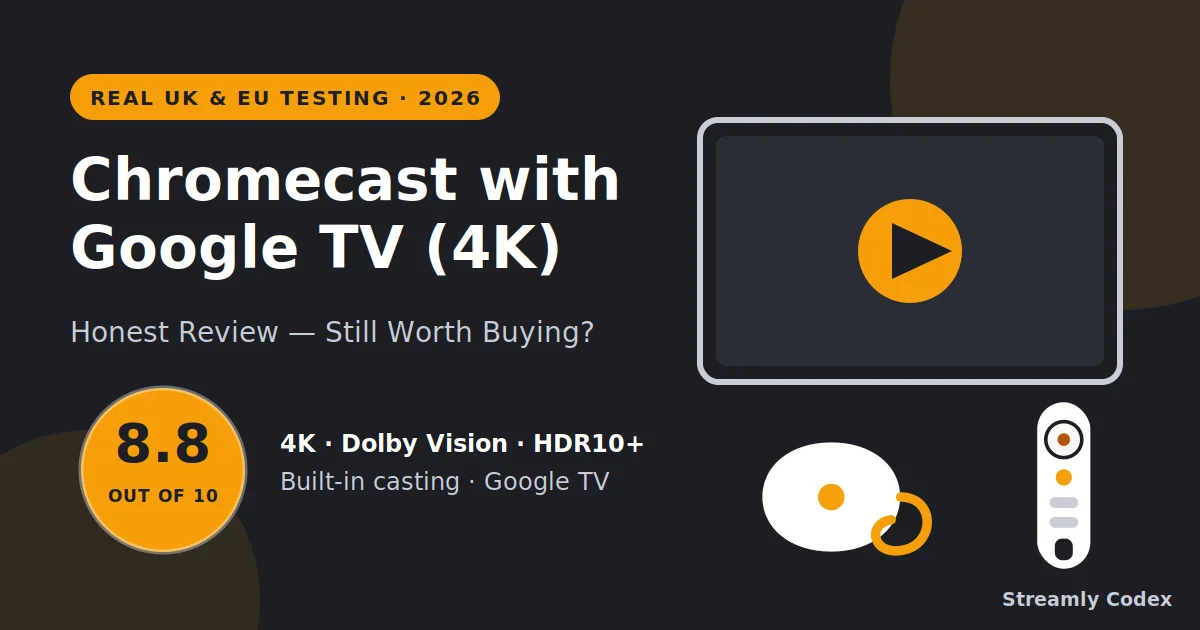
My Score: 8.8 / 10
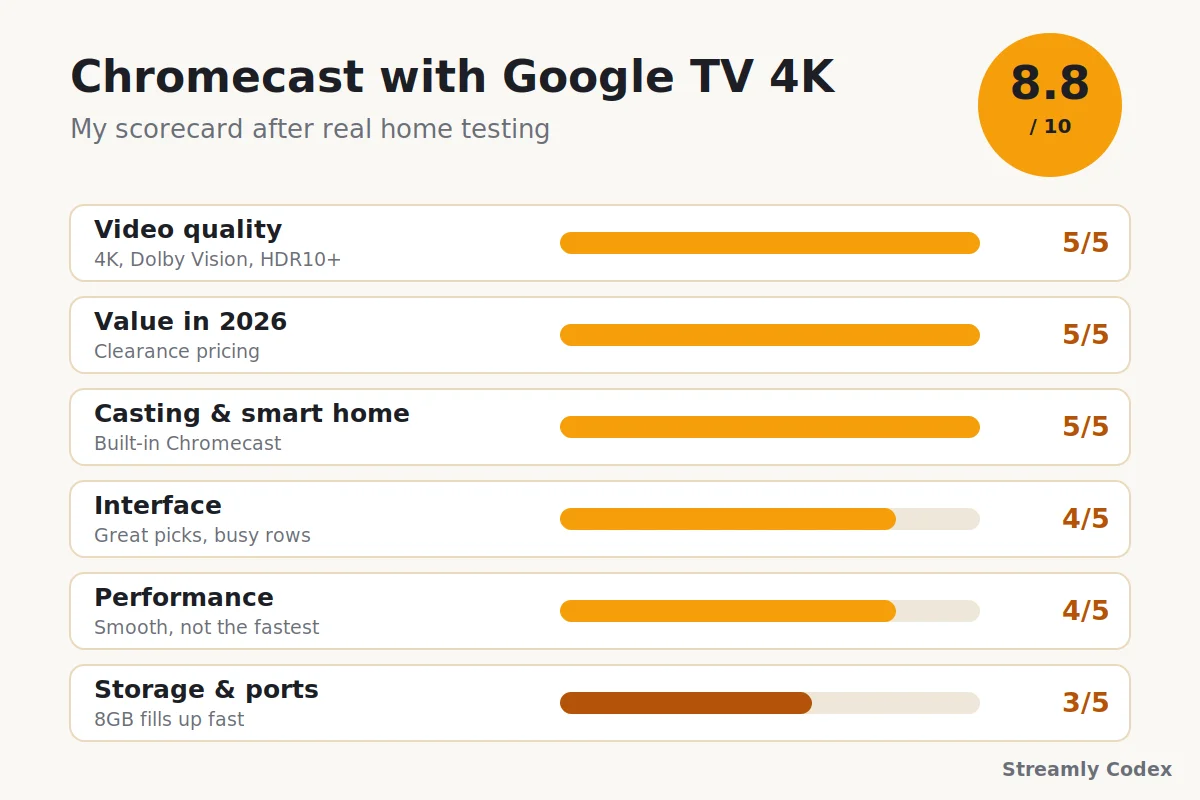
| Category | Score | Why |
|---|---|---|
| Video quality | 5/5 | 4K with Dolby Vision, HDR10+, and Atmos passthrough. |
| Value in 2026 | 5/5 | Clearance pricing makes it a steal for what it does. |
| Casting & smart home | 5/5 | Phone casting is built in, and Google Home just works. |
| Interface | 4/5 | Great picks across services, but the rows get busy. |
| Performance | 4/5 | Smooth for streaming. Not the fastest stick around. |
| Storage & ports | 3/5 | 8GB fills up quickly, and Ethernet needs an adapter. |
Best for: Android phone owners, homes already full of Google and Nest gear, and anyone after cheap 4K without a pushy menu.
Wait — Didn’t Google Kill the Chromecast?
Sort of. Google pulled it from its own store in February 2025, and the Google TV Streamer now sits in its place as the latest model, at £99.
The bit that actually matters, if you own one or spot a deal, is this: the device keeps working. Google has said existing units still get critical updates. Mine hasn’t skipped a beat — every app I lean on runs the same as it did last year.
What you give up is the future. Big new features land on the Streamer now, not here. I’ve made peace with that by thinking of the Chromecast as finished rather than dead — it does everything it did at launch, only cheaper.
Who Should Get One in 2026?
It suits you if you:
- Own a 4K TV but don’t fancy spending big for Dolby Vision
- Use an Android phone and love casting to the TV
- Run Google Home, Nest speakers, or Nest cameras
- Hate home screens stuffed with ads and shop tiles
- Need a cheap second streamer for the bedroom or the caravan
Look elsewhere if you:
- Treat the app store like a buffet — 8GB runs out fast
- Want Ethernet without buying an adapter
- Live in an Alexa home — the Fire TV Stick 4K Max fits better
- Want new features for years to come — that’s Streamer territory
Chromecast with Google TV 4K: Specs (2026)
| Spec | Details |
|---|---|
| Resolution | Up to 4K Ultra HD at 60fps |
| HDR | Dolby Vision, HDR10, HDR10+, HLG |
| Audio | Dolby Atmos passthrough with compatible gear |
| Storage | 8GB (roughly half is free for your apps) |
| Memory | 2GB RAM |
| Wi-Fi | Dual-band Wi-Fi 5 (802.11ac); no built-in Ethernet |
| Power | USB-C, mains adapter included |
| Remote | Voice remote with Google Assistant, TV volume and power |
| Software | Google TV; still receiving critical updates in 2026 |
| Launch price | £59.99 / €69.99 (2020) — far less today |
One line in that table undersells the best feature. Casting is built in, and I’ll show you why that matters in a minute.
Inside the Box
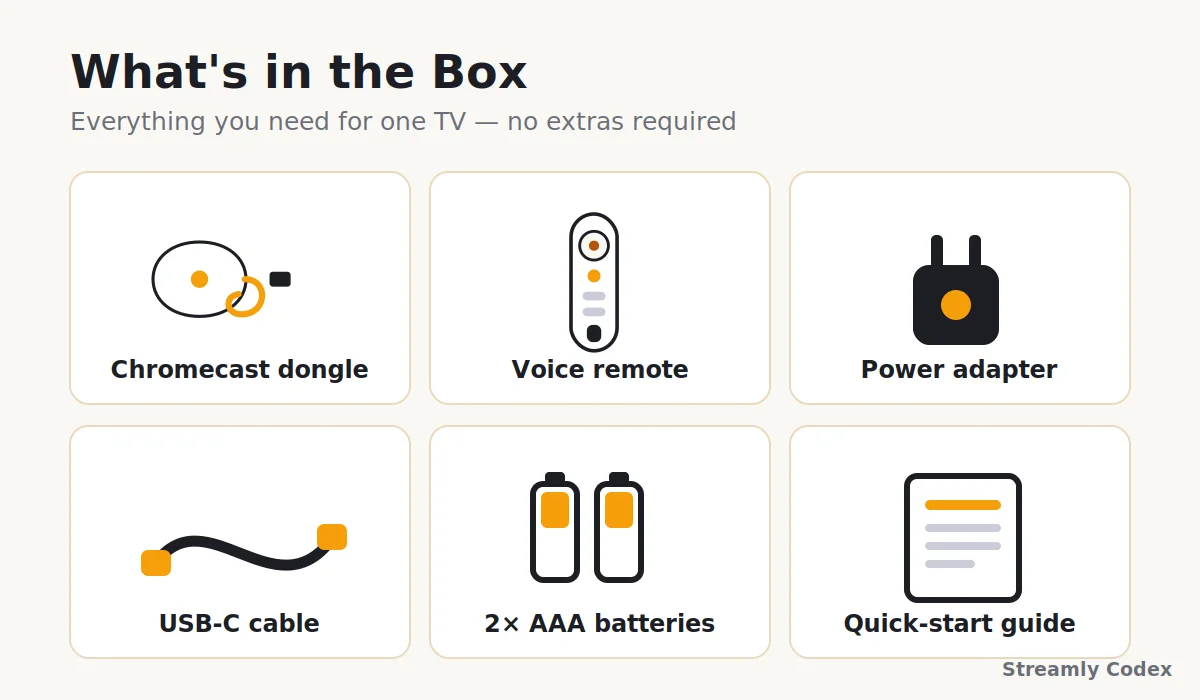
Mine arrived with everything a normal setup needs — which sounds obvious, until you learn the newer Streamer ships without an HDMI cable:
- The Chromecast dongle (it hangs neatly behind the TV)
- Voice remote with Google Assistant
- USB-C cable and mains power adapter
- Two AAA batteries for the remote
- A short quick-start guide
One lesson worth stealing: use the plug from the box. TV USB ports often can’t feed it enough power, and the classic symptom is random, maddening restarts.
Setup: My First 15 Minutes
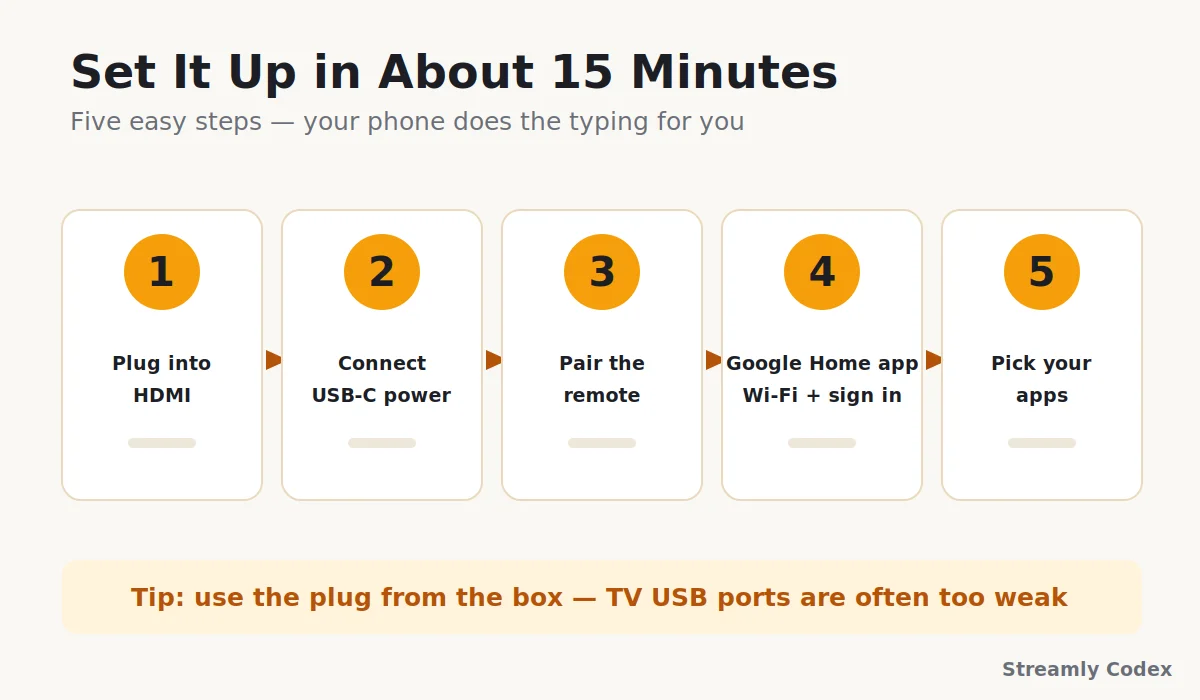
Setup on my [Samsung 32″ 1080p LED TV was about as painless as these things get. The whole job:
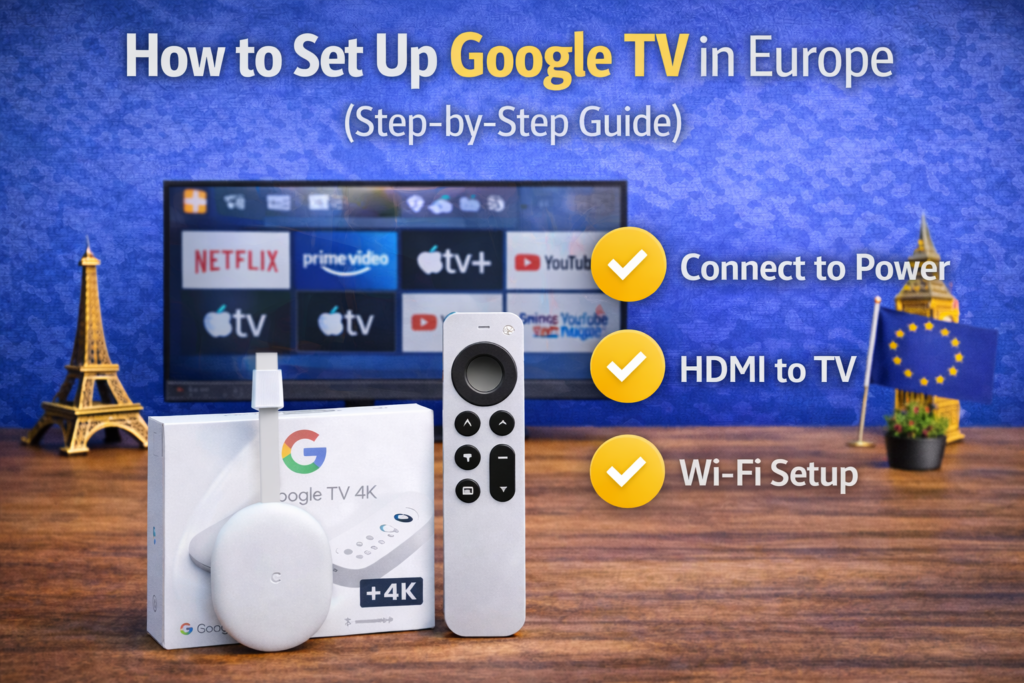
- Plug the dongle into a spare HDMI port
- Connect the USB-C power and switch to that HDMI input
- Pair the remote when the screen asks
- Open the Google Home app on your phone to add Wi-Fi and your Google account
- Tick the streaming apps you use and let them install
Call it fifteen minutes, start to finish. The phone step spares you the misery of typing a Wi-Fi password with a remote. That alone puts it ahead of half the streamers I’ve set up.
If you want screenshots for every step, my full Google TV setup guide walks through it.
Speed in Daily Use — And the Storage Catch
Two gigabytes of RAM sounds ancient in 2026, so let me be fair about what it actually buys you. Menus scroll without judder, and Netflix and iPlayer open in a few seconds. 4K playback held steady on my 20-75 Mbps connection, even with 06-odd devices fighting over the Wi-Fi.
It isn’t Fire TV Stick 4K Max quick, let alone Apple TV quick. Apps take a beat longer to open, and the heavyweight ones sometimes pause to think. In an ordinary evening of telly, though, I doubt you’d notice.
Now for the catch I promised: storage. The box says 8GB. In practice roughly half of that is yours, and the rest belongs to the system. Load up Netflix, Prime Video, Disney+, iPlayer, ITVX and a couple of strays, and the space warnings begin.
My fix is dull but reliable: once a month or so I clear a few app caches and delete whatever I’ve stopped watching. Two minutes, sorted. A USB-C hub with extra storage exists for power users, though I suspect most people will never bother.
So — speed, fine for the price. Storage, manage it a little and it stops being a problem.
Picture and Sound: Punching Above Its Price
This is where the little thing earns its score. On paper it handles:
- 4K Ultra HD up to 60fps
- Dolby Vision, plus HDR10 and HDR10+
- Dolby Atmos passthrough to a soundbar or receiver
In the room, on my [Samsung 32″ 1080p LED TV, Dolby Vision films look rich without tipping into cartoon territory. Dark scenes keep their detail instead of collapsing into murk. And HDR10+ is a quiet little bonus — some pricier rivals still can’t be bothered with it.
Atmos passed through to my soundbar without any fiddling. One caveat: none of this shows up on a basic 1080p set. If that’s your TV, save the money and get the HD model instead.
For picture and sound, I’ve got no complaints at all. Nothing this cheap does the full Dolby Vision and HDR10+ combo better.
Streaming Apps for UK and EU Viewers
App coverage was the thing I worried about least, and rightly so. Everything I rely on is here:
- Netflix, Prime Video, and Disney+
- Apple TV app and YouTube
- BBC iPlayer, ITVX, and Channel 4 for UK catch-up
- DAZN and Rakuten TV in supported countries
- Spotify for music on the TV
UK viewers do especially well: iPlayer, ITVX and Channel 4 all behave, which still isn’t true of every streamer sold here. Across the EU it’s patchier for local catch-up apps, country by country, though the big global names travel fine.
If one particular local app is make-or-break for you, look it up in the Play Store before spending anything. For mainstream streaming, you’re covered.
The Home Screen: Smart Picks, Fewer Ads
Google TV’s whole idea is one screen for everything. Rather than hopping between Netflix, Disney+ and iPlayer, you scroll one row of picks pulled from all of them. The row is shaped by what you actually watch.
And the picks are genuinely good — a few weeks in, mine started feeling less like a shop window and more like tips from a mate who knows my taste. There’s far less of one company pushing its own shows at you than on a Fire TV, too.
It isn’t perfect. There are a lot of rows, and anyone who just wants a plain grid of app icons will find it busy — Roku still owns that particular crown. You’ll need a Google account as well, which some people mind more than others.
Still: this is the best recommendation engine in streaming, and a little clutter is the price of admission.
Casting From Your Phone: The Party Trick
Rivals still haven’t matched this cleanly. Any cast-ready app on your phone can throw its picture straight at the TV — YouTube, Netflix, Spotify, iPlayer, even your photo gallery. You tap the little cast icon and it just… goes.
In my house this gets used daily, mostly for unglamorous stuff: holiday photos on the big screen, a recipe video propped up while dinner nearly burns, a guest’s playlist without anyone hunting for the remote. Chrome on a laptop will send a whole tab over too.
If your household runs on Android phones, honestly, this feature alone justifies the price.
See the Chromecast with Google TV on Amazon →
Google Home and Voice Control
The Assistant button on the remote earns its keep well beyond search. Over 08 months] I’ve used it to:
- Find films by asking in plain words
- Pull up my Nest camera feed on the TV
- Dim the lights before a movie
- Check the weather without leaving the sofa
Voice search coped with my mumbling better than expected, including vague requests like “that new detective thing on iPlayer”. And if the house already has Nest gear, this slots in without ceremony.
The rule of thumb writes itself. Google household: this wins. Alexa household: a Fire TV wins. No shame either way.
What Does It Cost in 2026?
Pricing is the strange part of buying anything discontinued, so let me lay it out plainly.
It launched back in 2020 at £59.99 in the UK and €69.99 across much of Europe. Once Google stopped selling it, street prices fell off a cliff. As I write this, new units are floating around £30–£35, with refurbished ones dipping lower still.
My rule of thumb: under £30–£35 , buy it and don’t overthink it. Between that and roughly £60, at least glance at the Fire TV Stick 4K Max first. Above £60, forget it — put the money toward a Google TV Streamer instead.
Price check: Stock swings week to week now. The button below always shows the live price.
For the full price breakdown (cheapest UK and EU retailers, sale dates, and whether to buy the Google TV Streamer instead), see our Chromecast price guide for the UK and Europe.
Check the Live Price on Amazon →
Chromecast 4K vs HD: The 60-Second Answer
Google made two versions before pulling the plug on both, and picking between the leftovers is mercifully easy:
| Question | Chromecast 4K | Chromecast HD |
|---|---|---|
| Best for which TV? | 4K TVs | 1080p TVs |
| Dolby Vision & HDR10+? | Yes | No (HDR10 only) |
| Speed | Quicker (2GB RAM) | A touch slower (1.5GB) |
| Typical 2026 price | Low | Even lower |
If a 4K TV is in your life, or on your shopping list, get the 4K model. If it’s feeding an older 1080p bedroom set, the HD version saves a few pounds and looks identical on that screen anyway.
Chromecast vs Google TV Streamer: Should You Pay More?
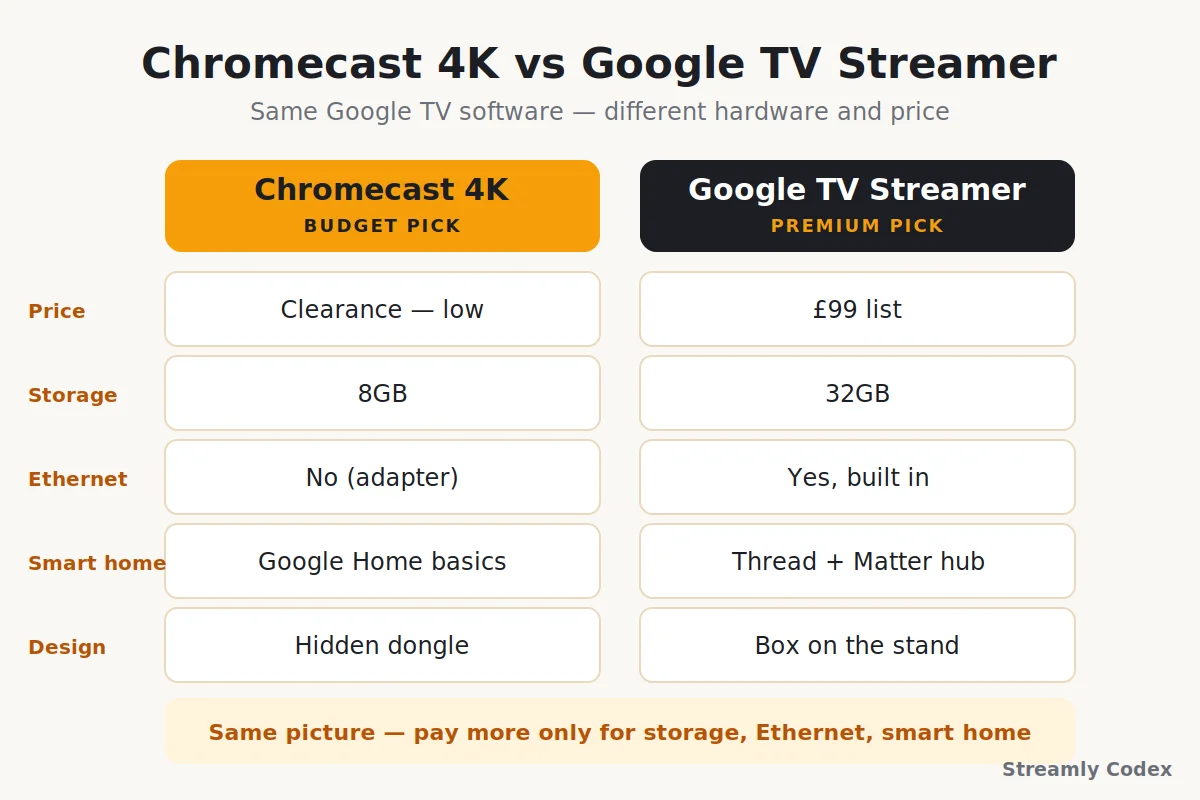
The Streamer is the official replacement, and it’s the question I get asked most. Physically it’s a different animal — a small box that lives on the TV stand rather than a dongle hiding behind the screen. Side by side:
| Feature | Chromecast 4K | Google TV Streamer |
|---|---|---|
| Price | £30–£35 on clearance | £99 list price |
| Storage | 8GB | 32GB |
| Memory | 2GB | 4GB |
| Ethernet port | No (adapter needed) | Yes, built in |
| Smart home extras | Google Home basics | Thread and Matter hub built in |
| Design | Hides behind the TV | Sits in view on the stand |
| HDMI cable | Attached to the device | Not included — buy your own |
| New features ahead | Critical updates only | Gets Google’s new tricks first |
My honest take: the Streamer is the better device, no argument, and it’s what I’d buy a smart-home obsessive. But on the same TV it shows the same Netflix in the same 4K Dolby Vision — for two or three times the money.
So pay the extra if storage, Ethernet or Matter control mean something to you. If you just want to watch things, keep the change.
Compare Google TV Streamer Prices →
Chromecast vs Fire TV Stick 4K Max
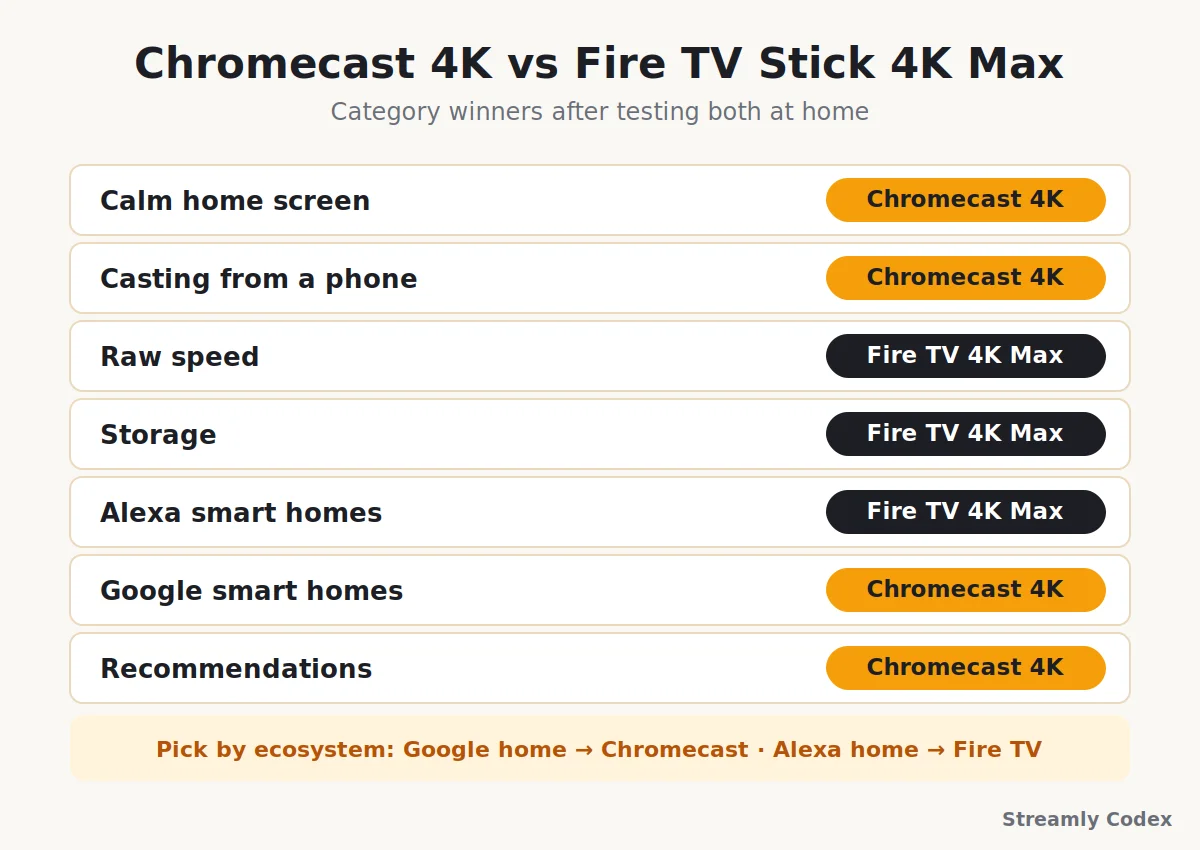
This is the matchup most UK buyers actually face, and specs won’t settle it — both do 4K, Dolby Vision and Atmos. Personality settles it:
| Category | Winner | Why |
|---|---|---|
| Calm home screen | Chromecast | Fewer ads, fewer shopping tiles |
| Casting from a phone | Chromecast | Built in and effortless |
| Raw speed | Fire TV 4K Max | Faster chip, snappier app launches |
| Storage | Fire TV 4K Max | 16GB on the newer model |
| Alexa smart homes | Fire TV 4K Max | Echo and Ring tie-ins |
| Google smart homes | Chromecast | Nest and Assistant tie-ins |
| Recommendations | Chromecast | Smarter and more neutral picks |
Pick by ecosystem and you’ll land right. An Android phone plus Nest speakers points at the Chromecast; Prime Video plus Echo devices points at the Fire TV. I’ve lived with both. My full Fire TV Stick 4K Max review covers the other side, and the Google TV vs Fire TV comparison goes deeper still.
Pros and Cons
✔ What I like
- 4K, Dolby Vision, and HDR10+ at a bargain price
- Built-in casting from any phone or Chrome tab
- Clean recommendations across all your apps
- Full UK catch-up support: iPlayer, ITVX, Channel 4
- Easy Google Home and Nest control
✘ What I don’t
- 8GB storage fills up fast
- No Ethernet without an adapter
- Discontinued, so no big new features are coming
- Slower than the Fire TV Stick 4K Max
- Needs a Google account, and the menu can feel busy
How I Tested This Device
None of this came from a spec sheet. The verdict comes from 08 months] of this Chromecast being the main streamer in my home:
- Daily viewing on a [Samsung 32″ 1080p LED TV, plus checks on an older 1080p set
- Long sessions in Netflix, Prime Video, Disney+, YouTube, and BBC iPlayer
- 4K Dolby Vision and Atmos playback through my soundbar
- Casting tests from Android, iPhone, and a laptop’s Chrome browser
- Voice search and Google Home commands most evenings
- A busy Wi-Fi network with about 06 devices connected
Before publishing, I checked every spec here against Google’s own listings. Prices and stock on a discontinued device shift weekly, though. Treat any number as a snapshot and confirm the live page yourself.
Chromecast with Google TV: Your Questions Answered
Is the Chromecast with Google TV 4K still worth buying in 2026?
At clearance prices, yes. You still get 4K with Dolby Vision and HDR10+, plus every major UK and EU app. The trade: small storage, and no big new features — those go to the Google TV Streamer now.
Can you still buy the Chromecast with Google TV?
Google stopped selling it in February 2025. Third-party retailers still list new and refurbished stock. Check the seller and condition carefully, because prices swing a lot.
Does the Chromecast with Google TV still get updates?
Google has said existing devices keep receiving critical updates even though the product is discontinued. Don’t expect major new features, though — those are for the newer Streamer.
What replaced the Chromecast with Google TV?
The Google TV Streamer. It’s a £99 box with 32GB storage, an Ethernet port, and smart-home hub features. Same Google TV software, more muscle, higher price.
Is Google TV free to use with a Chromecast?
Yes. There’s no fee for the device or the Google TV software. You pay only for the streaming services you subscribe to, and free apps like YouTube and iPlayer cost nothing.
Should I get the 4K or HD Chromecast?
Match it to your TV. A 4K TV deserves the 4K model with Dolby Vision. A 1080p TV can’t show the difference, so the cheaper HD version is the smarter buy there.
Does it have an Ethernet port?
Not built in. It runs on dual-band Wi-Fi. If you need a wired connection, a USB-C Ethernet adapter fixes it for a small extra cost.
Does it work with an iPhone?
Yes. You set it up and cast with the Google Home app on iOS, and cast-ready apps like YouTube and Netflix work fine from an iPhone.
Why does my Chromecast say storage is full?
Only about half of the 8GB is free for apps. Uninstall services you don’t watch and clear app caches in Settings. That fixes it for most people. Heavy users can add a USB-C hub with storage.
How do I set it up?
Plug it into HDMI, connect the included power adapter, pair the remote, then finish with the Google Home app on your phone. The whole job takes about fifteen minutes.
Related Guides
- 👉 Best Google TV Devices in Europe (2026)
- 👉 Google TV vs Fire TV: Full Comparison
- 👉 Fire TV Stick 4K Max Review
Final Verdict: A Discontinued Bargain
The odd truth about this device in 2026 is that being discontinued made it a better deal, not a worse one.
The picture is still superb, the home screen is still the smartest in the business, casting still gets a “wait, how did you do that?” out of guests — and the price has never been lower.
The storage is tight, and the future clearly belongs to the Google TV Streamer. I’m not pretending otherwise. But for the most 4K per pound in a UK or EU home, this little dongle remains stubbornly hard to beat.
My final word: under £30–£35 , grab one for any 4K TV in the house and enjoy the bargain. Only pay Streamer money if storage, Ethernet or smart-home hub duties are genuinely on your list.