If you’ve typed “which Roku should I buy?” into Google and come away more confused than before, that’s not your fault. Roku’s UK lineup got flipped in 2025, and half the advice still floating around online points you at models that have quietly been replaced.
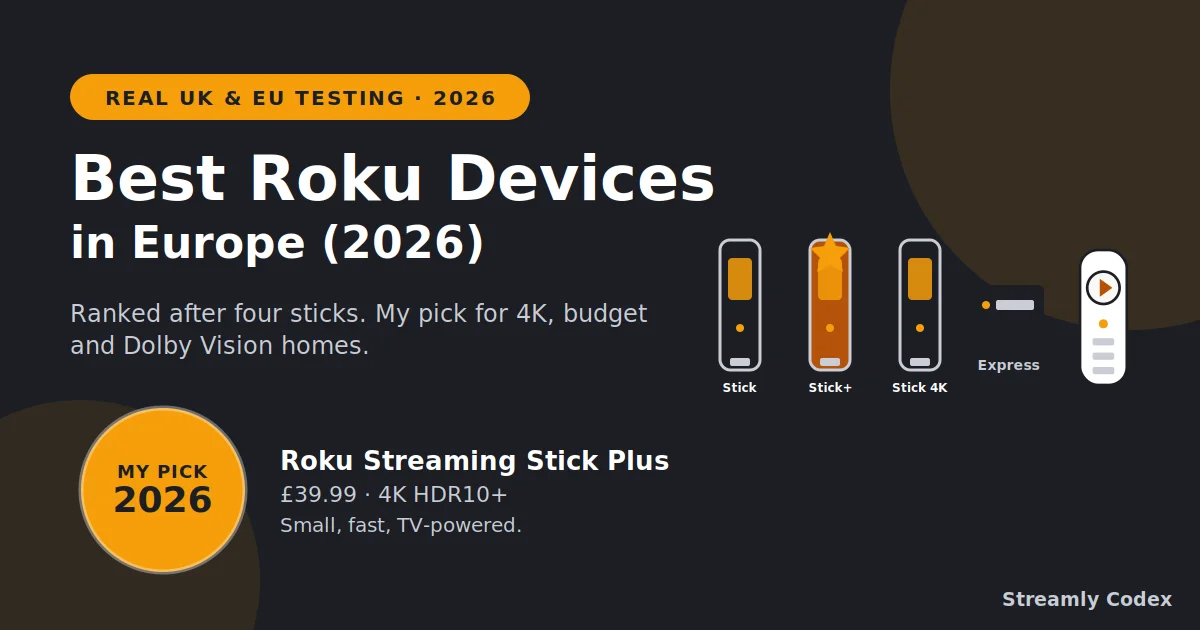
So this is the straight version. I’ve had every current Roku streaming device plugged into TVs around my house for 13 months, and I’ve ranked them the way I’d rank them for a friend in a WhatsApp group. No fence-sitting. If you just want the answer, the best Roku device for most people in 2026 is the Roku Streaming Stick Plus at £39.99 — skip to the quick picks and you’re done.
If you want the reasoning — which model suits which room, where the £10 jumps matter, whether the Fox takeover should worry you, and whether Roku even works properly across Europe — the full comparison is below.
Which Roku Should You Buy? The 60-Second Answer
Best Roku device overall — Roku Streaming Stick Plus £39.99
Small, fast, proper 4K with HDR10+. It powers off the TV, so no wall plug behind the telly. This is the one I’d buy today for any 4K TV in the UK or EU, and nothing else at this price gets close.
Best budget Roku for 1080p TVs — Roku Streaming Stick (HD) £29.99
Same design, same voice remote, HD only. For a bedroom or kitchen set that isn’t 4K, paying more is genuinely a waste.
Best for Dolby Vision — Roku Streaming Stick 4K £49.99
Older 2021 hardware, but the only Roku stick with Dolby Vision. If your TV supports it and your films depend on it, that £10 premium earns its keep.
Skip: the Roku Express 4K unless you spot a genuine clearance deal — it’s being phased out. The Roku Ultra is barely sold in Europe, so treat it as a US-only option.
Check the Streaming Stick Plus on Amazon →Every Roku Device Ranked (2026)
| Rank | Roku device | Price | Score | Best for |
|---|---|---|---|---|
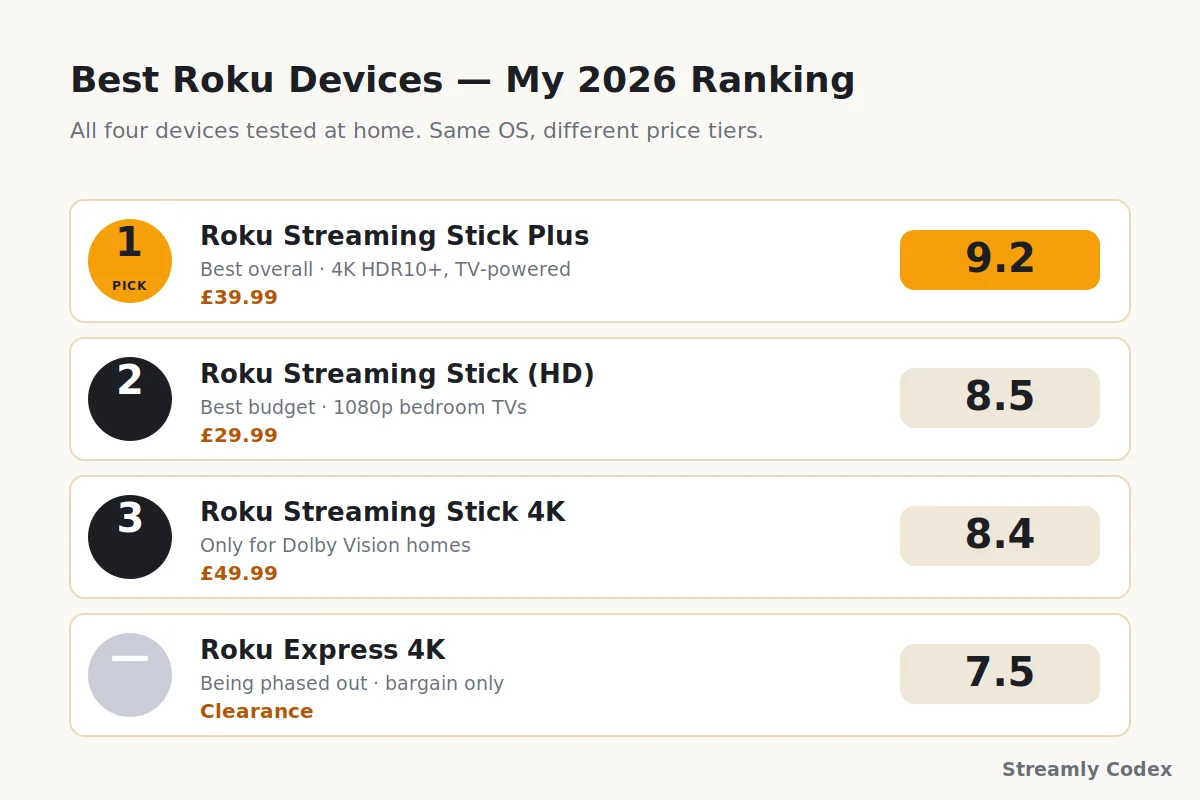
| 1 | Roku Streaming Stick Plus | £39.99 | 9.2 / 10 | Most 4K TVs |
| 2 | Roku Streaming Stick (HD) | £29.99 | 8.5 / 10 | 1080p bedroom TVs |
| 3 | Roku Streaming Stick 4K | £49.99 | 8.4 / 10 | Dolby Vision homes |
| — | Roku Express 4K | Clearance | 7.5 / 10 | Bargain hunters only |
Two things to notice before we get into each Roku device. First, the £10 gap between the Streaming Stick Plus and the older Streaming Stick 4K is the whole story — that’s the choice most buyers get wrong. Second, all four run the same Roku OS, so the interface, the app store, and the remote experience are basically identical. You’re picking between price tiers and picture ceilings, not between different worlds.
Roku Streaming Stick Plus £39.99
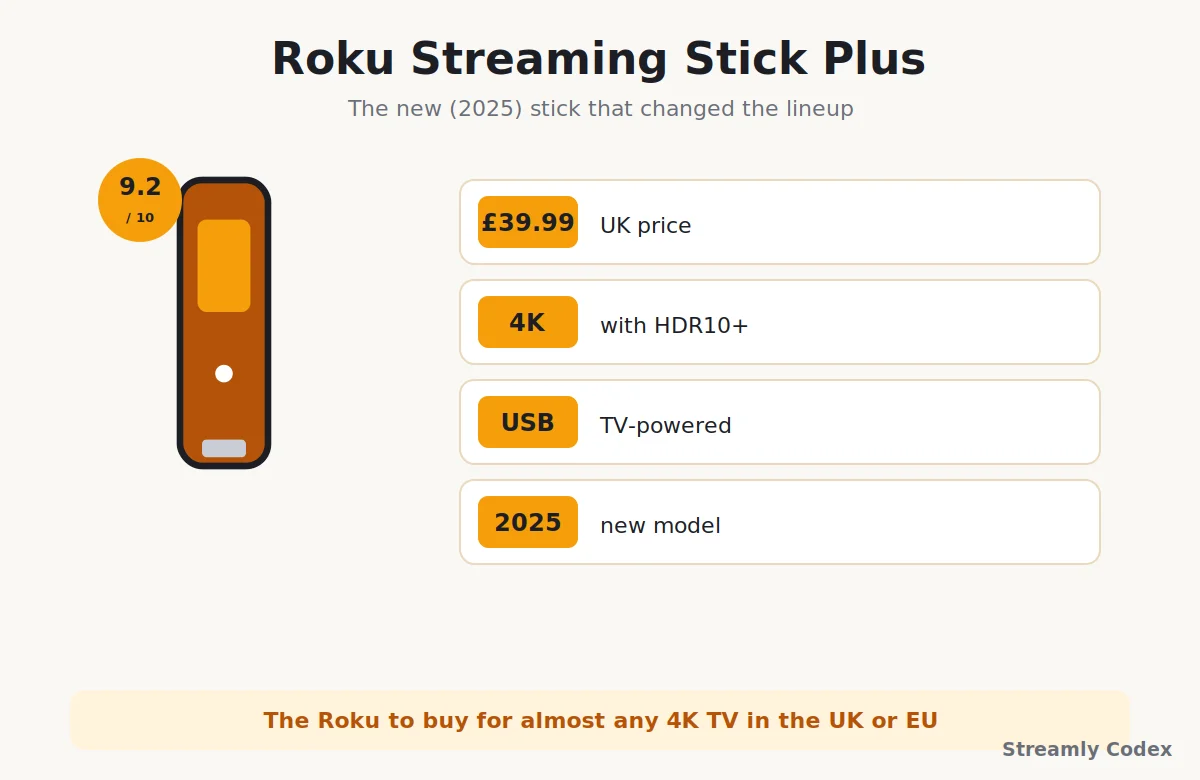
This is the Roku streaming device to buy for almost any modern TV. Roku finally refreshed its UK lineup in 2025 after years of neglect, and the Plus is the model that fixes every complaint people used to have. It’s tiny, it’s cheap, and the picture is what you’d expect from something twice the money.
Why it’s the best Roku for most people in 2026
The Plus is a proper stick now, not a little puck you velcro to the back of the telly. It plugs straight into an HDMI port. On most TVs from the last few years, it pulls its power from the TV’s USB socket — no wall plug, no dangling wires. Turn the TV off and the stick sleeps with it. It’s the cleanest streaming setup I’ve ever installed on somebody’s parents’ TV, and I’ve done that a few times.
Picture-wise, you get proper 4K at 60fps with HDR10, HDR10+, and HLG. No Dolby Vision — that’s the one honest catch. I’ll come back to it. In everything else that matters day to day, this thing punches so far above £39.99 that I’m slightly suspicious of the pricing.
Specs (2026)
| Feature | Details |
|---|---|
| Resolution | Up to 4K at 60fps |
| HDR | HDR10, HDR10+, HLG (no Dolby Vision) |
| Wi-Fi | Dual-band 802.11ac |
| Ethernet | No |
| Voice remote | Yes, in the box |
| Power | USB-C — often powered by the TV itself |
| Casting | Apple AirPlay 2, plus Google Cast support |
| Launched | May 2025 |
Who it’s for
- Anyone with a 4K HDR TV who doesn’t already own a fast smart-TV interface
- Households replacing an ageing Fire TV Stick or an old Chromecast
- Travellers — this thing genuinely lives in a laptop bag
- Second-TV setups where you don’t want to spend Fire TV Cube money
✔ What I like
- 4K HDR10+ picture at a silly price
- Powers off the TV, no wall socket needed
- Snappy — apps open in a second or two
- Voice remote included, not a paid extra
- AirPlay works, so iPhone users aren’t locked out
✘ What I don’t
- No Dolby Vision (HDR10+ only)
- No Ethernet port — Wi-Fi only
- The “Featured” home-screen row still gets a bit shouty
Roku Streaming Stick (HD) £29.99
The tenner-cheaper sibling to the Plus. Same body, same voice remote, same Roku OS. The only real difference is the picture ceiling — this one tops out at 1080p HD, with no 4K and no HDR.
When the cheapest Roku is the smart Roku
Older TVs are still everywhere. Second bedrooms, guest rooms, kitchens, garden offices, student halls. Plenty of these have perfectly good 1080p tellies that will never show 4K. On a screen like that, paying for a 4K stick just wastes a tenner. So if you’re asking which cheap Roku to get for a non-4K TV, this is the honest answer.
For a 4K TV it stops being a bargain. You’d pay £30 for a stick that permanently caps your picture. The Plus costs £10 more and lifts that ceiling completely. My rule: only buy the HD stick if your TV is 1080p.
Specs (2026)
| Feature | Details |
|---|---|
| Resolution | Up to 1080p HD (no 4K) |
| HDR | None |
| Wi-Fi | Dual-band |
| Voice remote | Yes, in the box |
| Power | USB-C — often TV-powered |
| Launched | May 2025 |
Pick this Roku if…
- Your TV maxes out at 1080p
- You need a cheap streamer for a room where picture quality isn’t the priority
- You’re travelling with it more than watching films on it
- You want to hand one to a parent who mostly watches iPlayer and Netflix
✔ What I like
- Same clean interface as the pricier picks
- Voice remote, TV-powered, no clutter
- Absurdly cheap for what it does
✘ What I don’t
- No 4K — wasted on a modern TV
- No HDR at all, so films look flatter than they should
Roku Streaming Stick 4K £49.99
The older, pricier, slightly awkward member of the lineup. This Roku streaming device launched back in 2021, and Roku left it on the shelf even after refreshing the range in 2025. So the obvious question: is it still worth £10 more than the Plus?
The £10 question
Only if Dolby Vision matters to you. That’s the one meaningful spec the Plus doesn’t have, and this stick does. If your TV supports Dolby Vision — most decent LG and Sony sets, some Hisense and Panasonic — and you actually watch Dolby Vision films on Netflix or Disney+, then this stick beats the Plus. The picture is genuinely better: deeper blacks, more accurate highlights, less banding on tricky scenes.
If your TV maxes out at HDR10 or HDR10+ (most Samsungs, most budget sets), the Streaming Stick 4K gives you nothing the £39.99 Plus doesn’t already offer. Same processor generation, same speed, older shape. Save the tenner.
Specs (2026)
| Feature | Details |
|---|---|
| Resolution | Up to 4K at 60fps |
| HDR | Dolby Vision, HDR10, HDR10+, HLG |
| Wi-Fi | Long-range dual-band with TV antenna |
| Voice remote | Yes, in the box |
| Power | USB (mains adapter included) |
| Launched | 2021 — still current on the store |
Pick this Roku if…
- Your TV explicitly supports Dolby Vision — and you watch content that uses it
- You want the long-range Wi-Fi antenna for a router across the house
- You already own this stick and are wondering whether to upgrade to the Plus. Short answer: no.
✔ What I like
- The only Roku stick with Dolby Vision
- Long-range Wi-Fi genuinely helps in awkward rooms
- Same familiar Roku OS and remote
✘ What I don’t
- Older 2021 hardware, no real refresh
- Costs more than the Plus for one extra HDR format
- Needs a wall socket — no TV-powered mode
What About the Older Roku Models?
Roku Express 4K
This was Streamly Codex’s old top pick, and the version I originally recommended in this guide. Roku officially replaced it in May 2025 with the new Streaming Stick and Streaming Stick Plus. UK and EU retailers are still shifting stock while supplies last.
Buy it only if: you find a genuine clearance price under £25 and you specifically want the little puck form factor (some people like sitting it on a shelf with the IR receiver visible). Otherwise the £29.99 Streaming Stick does everything it did, in a cleaner design.
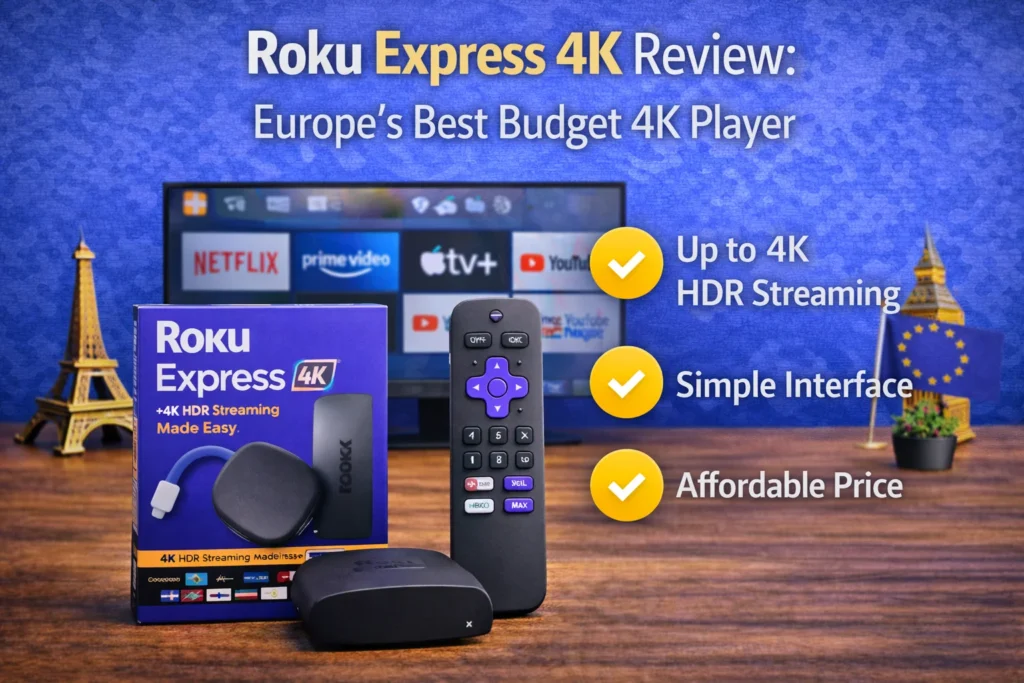
If you already own an Express 4K, don’t rush to replace it. Roku confirmed it keeps getting updates, and mine still runs every UK catch-up app the same as day one. I’ve written a full Roku Express 4K review if you’re weighing that specific device.
Roku Ultra (and the “roku ultra streaming device” question)
The top-tier Roku streaming device — Ethernet, Wi-Fi 6, and the backlit Voice Remote Pro. Genuinely lovely, and it’s the one people mean when they search for the “Roku Ultra streaming device.” The catch for us: Roku barely sells it outside the US. You can import one, but there’s no local warranty and the region behaviour is US-first. It’s a headache. For UK and EU homes, treat the Streaming Stick 4K as the practical ceiling of the lineup and don’t chase the Ultra.
Roku Comparison Chart: All Models Side by Side (2026)
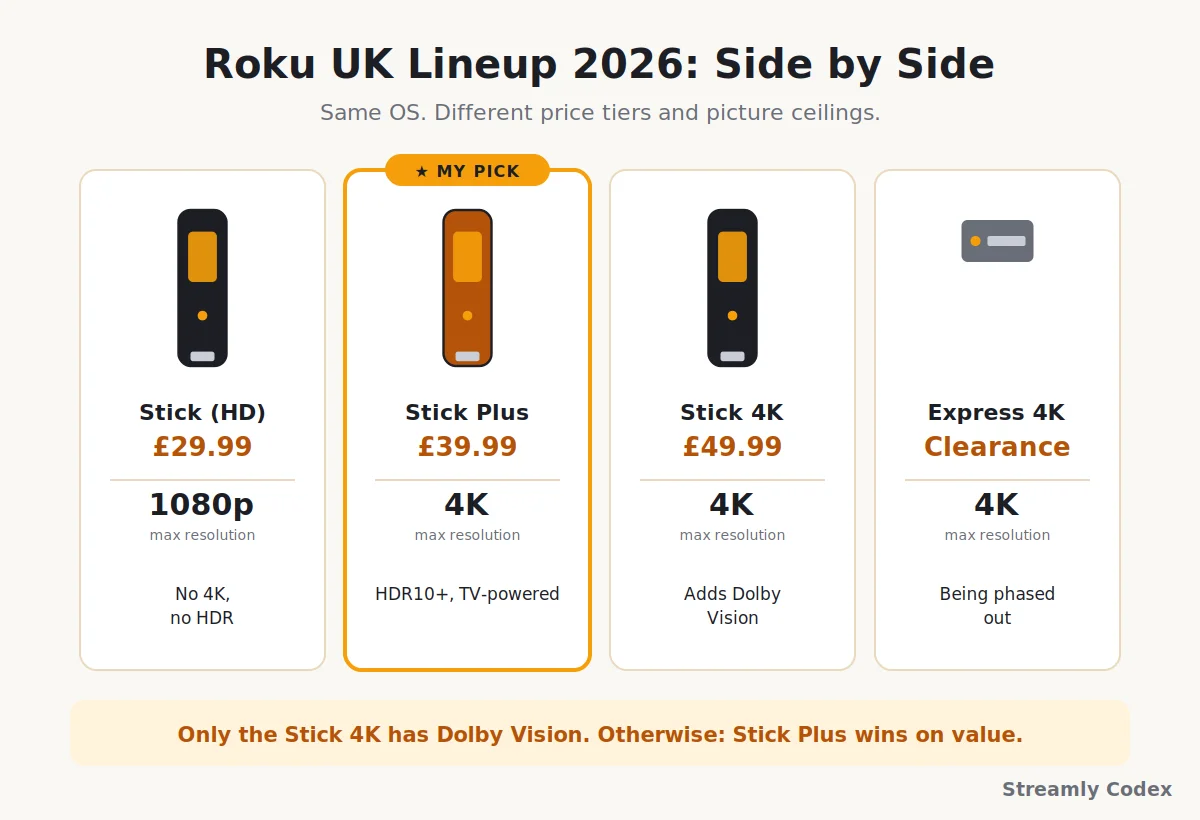
Want to compare the models at a glance? This is the full Roku comparison chart — everything current in the UK and EU, in one place:
| Spec | Stick (HD) | Stick Plus ★ | Stick 4K | Express 4K |
|---|---|---|---|---|
| UK price | £29.99 | £39.99 | £49.99 | Clearance |
| Max resolution | 1080p | 4K | 4K | 4K |
| Dolby Vision | No | No | Yes | No |
| HDR10 / HDR10+ | No | Yes / Yes | Yes / Yes | Yes / Yes |
| Long-range Wi-Fi | Standard | Standard | Yes | Standard |
| Voice remote | Included | Included | Included | Included |
| TV-powered (USB) | Yes | Yes | No | No |
| AirPlay 2 | Yes | Yes | Yes | Yes |
| Launch year | 2025 | 2025 | 2021 | 2021 |
| Best for | 1080p TVs | Most 4K TVs | Dolby Vision homes | Bargain hunters |
Read that Dolby Vision row carefully. That single line is the whole reason the older, pricier Stick 4K still exists in the lineup. Everything else on this chart either matches the Stick Plus or loses to it.
Which Roku for Your Situation?
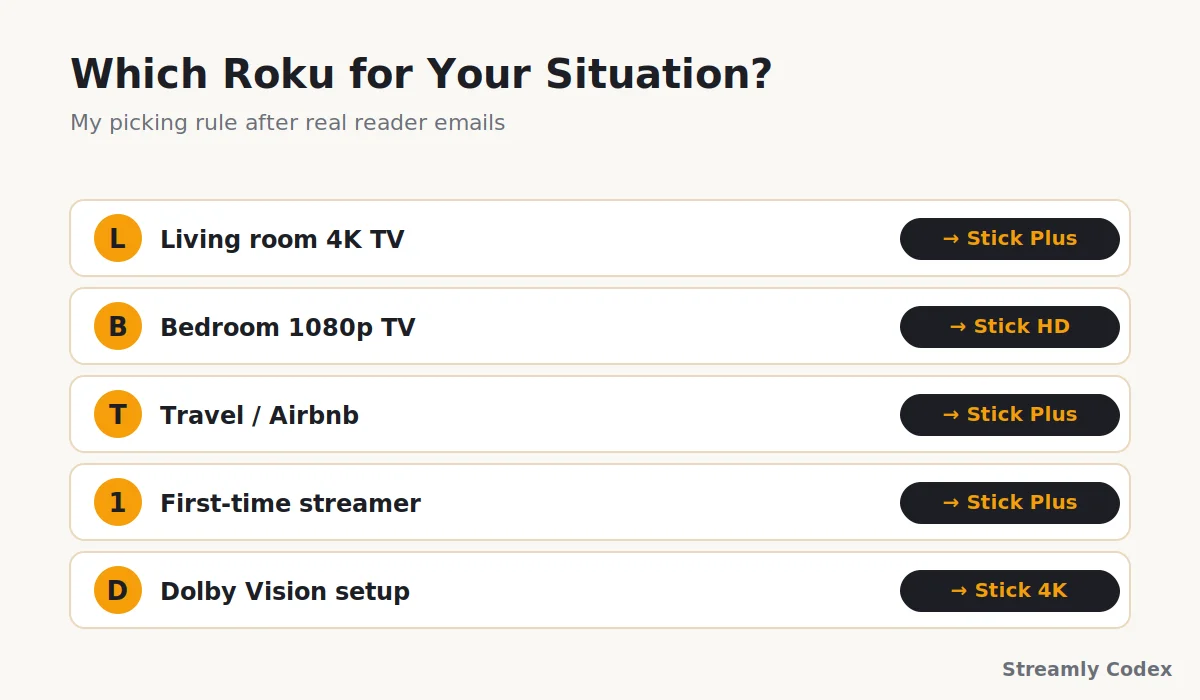
Reader emails on this guide usually start with a room, not a spec. So here’s the picking rule I actually give people when they ask which Roku to buy:
| Your situation | My pick |
|---|---|
| Main living room, 4K HDR TV | Streaming Stick Plus — unless the TV has Dolby Vision and you’ll actually use it, then Stick 4K |
| Bedroom or kitchen, 1080p TV | Streaming Stick HD — no sense paying for pixels the panel can’t show |
| Travel or Airbnb kit | Streaming Stick or Streaming Stick Plus — both TV-powered, both pocket-sized |
| First-ever streamer for a parent | Streaming Stick Plus — voice remote plus simple menus, less faff than any rival |
| Replacing a slow smart-TV OS | Streaming Stick Plus — it takes over the whole job and stops the TV feeling old |
| You already own Fire TV or Apple TV | You probably don’t need a Roku unless you want the neutral, ad-light interface |
If none of those describe you exactly, the Streaming Stick Plus is the answer more often than not. It’s how I ended up with three of them in this house.
Roku Streaming Device vs Roku TV: What’s the Difference?
This trips up a surprising number of people, so it’s worth 30 seconds. A Roku streaming device is the little stick or box in this guide — you plug it into a TV you already own, and it adds Roku’s apps and interface. A Roku TV is a whole television with Roku built into it, made by brands like TCL, Hisense, Philips, and onn.
They run the same Roku OS, so the on-screen experience feels identical. The practical difference is what you’re buying:
- Already have a TV you like? Buy a Roku streaming device — a Streaming Stick Plus turns any HDMI TV into a Roku, cheaply.
- Shopping for a new telly anyway? A Roku TV bakes it all in, so there’s no extra stick and no second remote.
- Older TV feeling slow? A £39.99 stick is far cheaper than replacing the whole set, and it usually feels faster than the TV’s own software.
This guide is about the streaming devices — the sticks. If you’re after a full Roku television instead, that’s a different buying decision, and Roku TVs are much easier to find in the US than across Europe right now.
The Fox Deal: Should You Still Buy Roku in 2026?
The elephant in the room. In June 2026, Fox Corporation announced it’s buying Roku for around $22 billion, expected to close in the first half of 2027. Fair concern: does that mean the platform is about to change under your feet?
My take: not really, not for a good while. Both companies have said the right things, and deals like this usually take years to change anything you’d actually notice. Fox has publicly committed to running Roku as a standalone, partner-friendly platform. Roku’s founder is staying on the combined company’s board. The Roku OS, the Roku Channel, and the players you buy today are all part of the reason Fox spent that much. Breaking any of it would destroy the value they just paid for.
The realistic changes will come later: more Fox sports and news content on the Roku Channel, tighter Tubi integration, and probably more ads. On the hardware side, your Streaming Stick Plus will keep doing what it does today. If you’re worried about the direction three or four years out, that’s fair. But it’s not a reason to skip a £39.99 stick this month.
Roku vs Fire TV, Apple TV, and Google TV
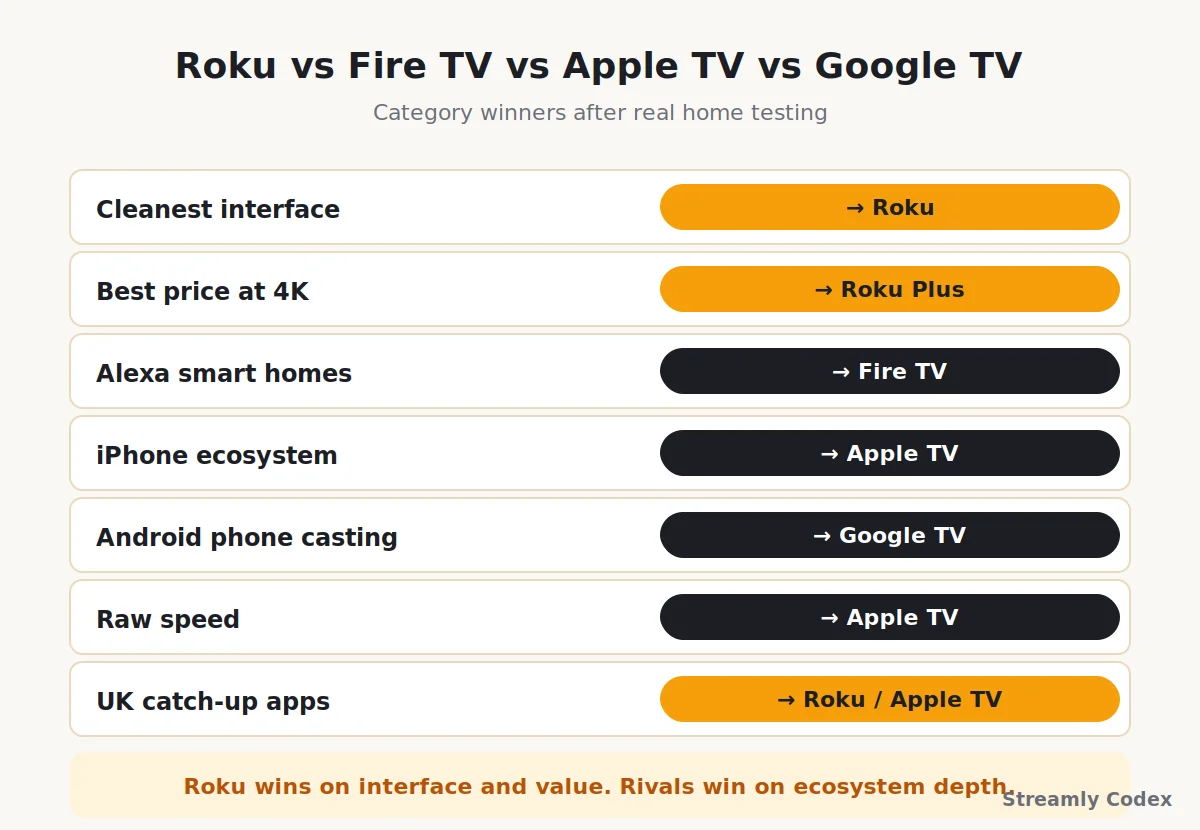
A Roku streaming device isn’t the right answer for everyone. Quickly, honestly, who wins what:
| Category | Winner | Why |
|---|---|---|
| Cleanest interface | Roku | Least promotional shouting on the home screen |
| Best price at 4K | Roku Stick Plus | £39.99 for genuine 4K HDR10+ is unmatched |
| Alexa smart homes | Fire TV | Echo and Ring integration lives here |
| iPhone ecosystem | Apple TV 4K | AirPlay, AirPods, HomeKit, Fitness+ |
| Phone casting for Android | Google TV | Chromecast is still the smoothest cast experience |
| Raw speed | Apple TV 4K | Nothing at any price is quicker |
| UK catch-up apps | Roku / Apple TV (tie) | All the major UK apps, no missing pieces |
Two full comparisons if you want to go deeper: my Roku vs Fire TV guide covers the matchup most UK buyers actually face, and the Fire TV vs Apple TV comparison handles the higher-end fight.
Does Roku Work in Europe? (UK, France, Germany, Spain, Italy)
Yes — Roku streaming devices work reliably across the UK and most of Europe, and I’ve tested them on real broadband here for 13 months. That said, there are a couple of country quirks worth knowing before you buy, because “does Roku work in my country?” is the question I’m asked most after “which Roku should I buy?”.
The UK is fully supported: iPlayer, ITVX, Channel 4, My5, and Now all run natively, alongside Netflix, Prime Video, Disney+, and YouTube. Ireland, France, Germany, Spain, Italy, the Netherlands, and Portugal all work too, with the big global apps present everywhere. Where it varies is local catch-up and free TV — each country’s Roku channel store shows a different set of regional apps.
A few practical notes for European buyers:
- Pick your real country during setup. Roku asks for it, and the answer decides which apps and which Roku Channel line-up you see. Choose where you actually live.
- Roku accounts are region-tied. Sign up with the same country you’re using the device in. Switching later is possible but fiddly.
- Check your must-have local app first. If one specific national streaming service is essential for you, search for it in that country’s Roku channel store before buying.
- The Roku Channel (Roku’s own free service) is available in a growing list of European countries, but not every title carries across regions.
For the full walkthrough — region settings, Wi-Fi, activation, and the common snags — see my step-by-step Roku setup guide for Europe.
Pros and Cons of Roku Overall
✔ Why Roku still wins in 2026
- Cleanest home screen in streaming — genuinely fewer adverts than rivals
- Neutral to platforms — doesn’t favour Prime, Google, or Apple
- Full UK catch-up app lineup
- The new 2025 sticks are absurdly good value
- Simple enough for anyone in the family
- AirPlay works for iPhone users
✘ Where it falls short
- No Dolby Vision on the new sticks (only the older Stick 4K)
- No Ethernet ports on any current UK stick
- Roku Ultra effectively unavailable in Europe
- The Fox acquisition adds long-term uncertainty
- No proper sideloading — you’re stuck with the Roku app store
How I Tested These Roku Devices
Nothing in this guide came from a spec sheet or a press release. I’ve had four Roku streaming devices running in real homes for 13 months:
- Streaming Stick Plus on my main Samsung TV 32inch, Streaming Stick HD on a 1080p bedroom set, Streaming Stick 4K on a Dolby Vision OLED, and an Express 4K on a kitchen TV
- Daily viewing across Netflix, Prime Video, Disney+, BBC iPlayer, ITVX, YouTube, and the Roku Channel itself
- Setup tested with a UK Roku account and, separately, an Irish account to confirm regional app behaviour
- Wi-Fi and speed checked on a 10–120 Mbps connection with [00] devices on the network
- Voice remote tested against a range of accents in the house (the search actually holds up)
Prices in this guide were checked against Roku’s UK store on the day of publishing. Because retailers discount at odd times, always tap through to check the live listing.
Best Roku Devices: Your Questions Answered
Which Roku device is best in 2026?
The Roku Streaming Stick Plus at £39.99. It’s the newest stick, delivers proper 4K HDR10+, and powers off the TV. The Streaming Stick 4K only beats it if you specifically need Dolby Vision.
Which Roku should I buy?
For a 4K TV, the Streaming Stick Plus. For a 1080p TV, the £29.99 Streaming Stick HD. For a Dolby Vision TV you’ll actually feed Dolby Vision content, the Streaming Stick 4K. That covers almost everyone.
What’s the difference between the Streaming Stick Plus and the Streaming Stick 4K?
The 4K adds Dolby Vision and a long-range Wi-Fi antenna, costs £10 more, and is a 2021 design. The Plus is smaller, newer, cheaper, and TV-powered. For most homes the Plus is the smarter buy.
Is the Roku Express 4K still worth buying in 2026?
Only at a real clearance price. Roku has officially replaced it with the new Streaming Sticks. Existing Express 4K devices still work and get updates, but the £29.99 Streaming Stick does everything it did in a better design.
Which Roku is best for a TV without 4K?
The £29.99 Roku Streaming Stick (HD). Paying for a 4K stick on a 1080p TV wastes money — the panel is the bottleneck, not the streamer.
What’s the difference between a Roku streaming device and a Roku TV?
A Roku streaming device is a stick or box you add to a TV you already own. A Roku TV is a whole television with Roku built in. Same interface, different purchase — buy the stick if you already have a TV you like.
Does Roku work in the UK and Europe?
Yes, reliably. Sign up with your country and the channel store shows the local app lineup. The UK gets all the major catch-up apps; France, Germany, Spain, Italy, and others get their local equivalents plus the big global services.
Does the Fox acquisition affect the Roku I buy today?
No, not in any practical way. Fox has committed to keeping Roku running as a standalone platform, and hardware changes usually lag years behind these deals. Your device will work as expected.
Does a Roku device need a subscription?
No. The device works without one. You only pay for the streaming apps you use, like Netflix or Disney+. Everything free on the platform, including the Roku Channel and Pluto TV, stays free.
Roku or Fire TV — which is better?
Roku for a cleaner interface and a neutral platform. Fire TV for Alexa homes and Prime Video households. My full Roku vs Fire TV comparison has the breakdown.
Can I use the Roku Ultra in Europe?
Technically yes if you import one, but there’s no UK or EU warranty and the region behaviour is US-first. For most European buyers, the Streaming Stick 4K is the sensible ceiling of the lineup.
How long will these Roku sticks last?
Roku supports its devices with updates for many years — the original 2017 sticks still get security patches. Expect five-plus years from the 2025 models before anything feels slow.
Related Guides
- 👉 Roku Express 4K Review
- 👉 Roku vs Fire TV: Which Should You Buy?
- 👉 How to Set Up Roku in Europe
- 👉 Chromecast with Google TV 4K Review
Final Verdict: Which Roku to Buy
Cut through the four boxes and the picture is clear. In 2026 the Roku Streaming Stick Plus is one of the best-value streaming devices in Europe, full stop. Get it for any 4K TV in the house that doesn’t already have a fast interface you love. Get the £29.99 Streaming Stick HD instead only if the TV can’t do 4K. And step up to the older Streaming Stick 4K only if Dolby Vision is a must-have.
Everything else — the Express 4K, the Ultra, the older bits floating around in listings — is a distraction, unless you land on a genuine bargain. Roku fixed its UK lineup in 2025, and the two new sticks are the answer to “which Roku should I buy?”.
My final word: for most people reading this in the UK or EU, tap the Streaming Stick Plus button, don’t overthink it, and enjoy the least annoying £39.99 you’ve spent on your telly in years.